Create a New Cohort
Learn how to navigate to the Cohort Analytics section and create a new patient cohort using the LinQ Explorer interface. This guide will walk you through the sidebar navigation and cohort creation process.
Navigating to Cohort Analytics
To create a new cohort, you first need to navigate to the Cohort Analytics section using the sidebar navigation.
Step 1: Access the Sidebar
The sidebar navigation is located on the left side of the LinQ Explorer interface. It contains the main navigation tabs for accessing different features of the application.
- Dashboard: Your home screen with recent projects and cohort overview
- Cohort Analytics: Create, edit, and analyze patient cohorts
- Notes Explorer: Search and explore clinical notes
Step 2: Click on Cohort Analytics
From the sidebar, click on "Cohort Analytics" to expand the section. This will reveal the sub-navigation options available within Cohort Analytics.
Step 3: Select Create a New Cohort
Once the Cohort Analytics section is expanded, you can either:
- Click the "+ New" button in the cohort list header to create a new cohort
- Use the sidebar to navigate directly to cohort creation options
Creating Your Cohort
Once you click on a cohort or create a new one, you'll access the Cohort Builder interface where you can:
Define Inclusion Criteria
The Inclusion Criteria section (green border) defines conditions patients must meet to be included in your cohort:
- Add criteria using the "+ Add criteria" button
- Select criterion type (ICD-CM, CPT-4, NDC, Patient Gender, etc.)
- Set operators (contains, equals, less than, etc.)
- Connect multiple criteria with AND/OR logic
Define Exclusion Criteria
The Exclusion Criteria section (red border) defines conditions that will exclude patients from your cohort, even if they meet inclusion criteria.
Available Criteria Types
When creating a cohort, you can use various criteria types:
- Patient Demographics: Gender, Age, Race, State, Zip3
- Diagnosis: ICD-CM, ICD-CM Simple, ICD-CM Hierarchy
- Procedures: ICD-PCS, CPT-4, CPT-4 Simple, HCPCS
- Drugs/Medications: NDC, ATC Classes
- Laboratory: Result Name & Unit, LOINC
- Clinical Notes: Notes, Notes Cohort
Quick Steps Summary
- Navigate: Click "Cohort Analytics" in the sidebar
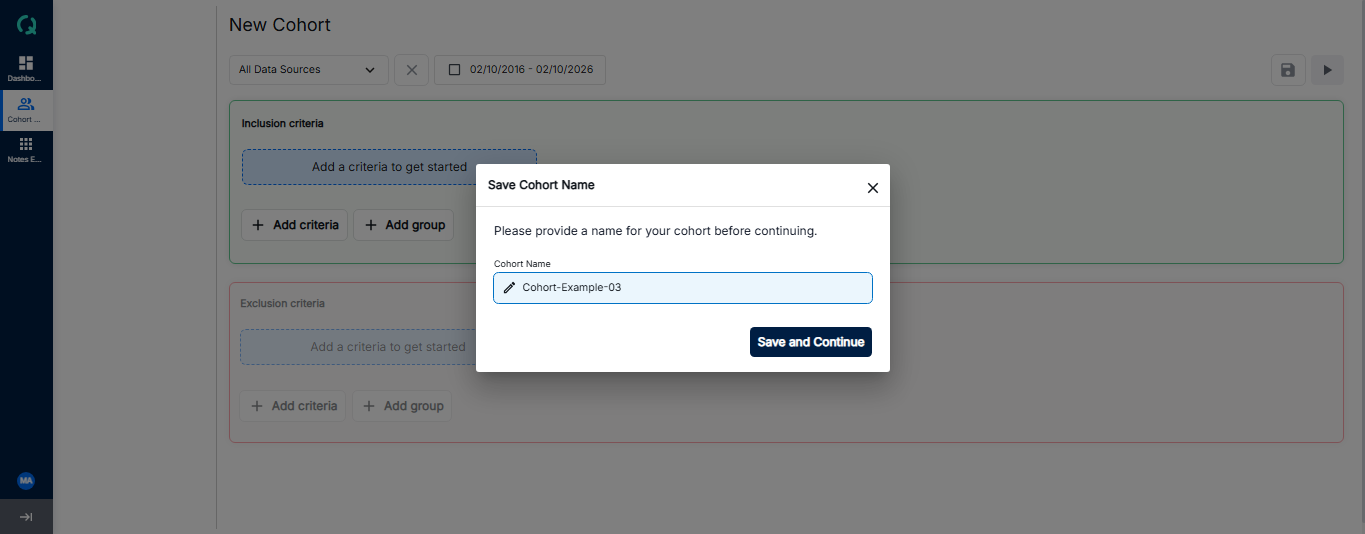
- Name Your Cohort: A popup will appear - enter your cohort name and click Save
- Define Criteria: Add inclusion and exclusion criteria to define your patient population
- Configure Values: Set operators and values for each criterion, including data source selection
- Build & Save: Click the Build button to generate results, then click Save to save your cohort

For more understanding about Inclusion Criteria, Exclusion Criteria, and Cohort Analytics Overview, click on the cards below: