Exclusion Criteria
Exclusion criteria define conditions that will exclude patients from your cohort, even if they meet all the inclusion criteria. These criteria are displayed in a section with a red border in the Cohort Builder interface, visually distinguishing them as exclusionary rules. You can add multiple exclusion criteria and group them together to refine your patient population.

Understanding Exclusion Criteria
Exclusion criteria specify characteristics, conditions, or events that will remove patients from your cohort. Patients who meet ANY exclusion criteria will be excluded from the final cohort, regardless of whether they meet all inclusion criteria. This allows you to refine your patient population by removing specific subsets.
Adding Exclusion Criteria
To add exclusion criteria to your cohort:
- Navigate to the Cohort Builder interface
- Locate the "Exclusion criteria" section (with red border)
- Click the "+ Add criteria" button to add a single exclusion criterion
- Or click "+ Add group" to create a group of exclusion criteria with logical operators
- Configure each criterion by selecting the appropriate data type and conditions
Types of Exclusion Criteria
You can use various types of criteria for exclusion:
- Patient Demographics: Patient, Gender, Age, Death, Race, State, Zip3, Segmentation, Patient History, Import Cohort Block
- Diagnosis: ICD-CM, ICD-CM Simple, ICD-CM Hierarchy
- Procedures: ICD-PCS, CPT-4, CPT-4 Simple, HCPCS
- Drugs/Medications: NDC, ATC Classes
- Laboratory: Result Name & Unit, LOINC
- Clinical Notes: Notes, Notes Cohort
Patient Demographics
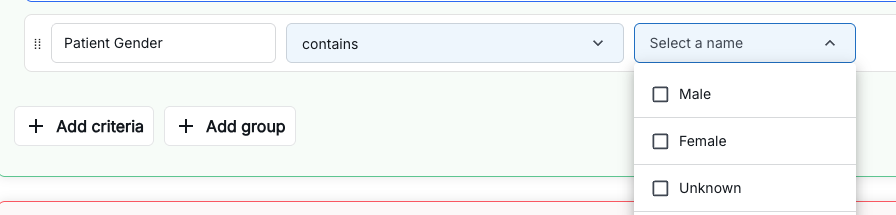
Patient Demographics criteria allow you to exclude patients based on personal and geographic characteristics. These criteria are useful for removing specific patient populations from your cohort.
- Patient: General patient information and identifiers
- Gender: Exclude patients by gender (Male, Female, Other, Unknown)
- Age: Exclude patients by age ranges or specific age values
- Death: Exclude deceased patients
- Race: Exclude patients by race/ethnicity
- State: Exclude patients by U.S. state location
- Zip3: Exclude patients by first 3 digits of ZIP code (geographic region)
- Segmentation: Exclude patients by segmentation categories
- Patient History: Exclude patients based on historical patient data and events
- Import Cohort Block: Import exclusion criteria from existing cohorts
Diagnosis
Diagnosis criteria allow you to exclude patients based on ICD-10-CM diagnosis codes. You can use different views and selection methods depending on your needs.
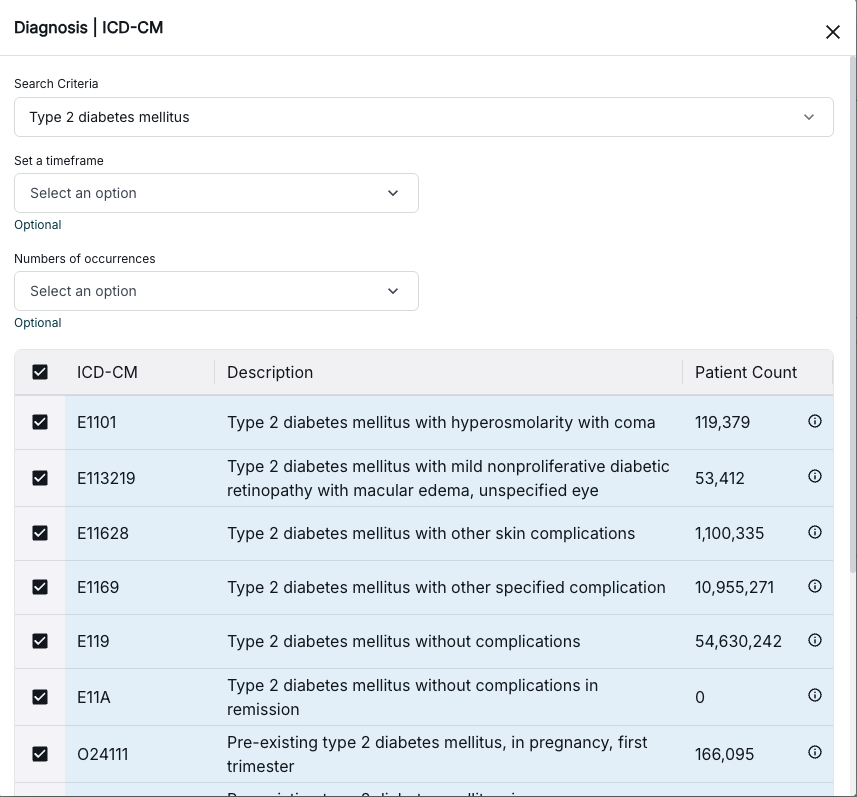
- ICD-CM: ICD-10-CM diagnosis codes with full functionality and advanced search capabilities
- ICD-CM Simple: Simplified ICD-10-CM code selection interface for quick code entry
- ICD-CM Hierarchy: ICD-10-CM codes organized in hierarchical structure, allowing you to select codes by category and subcategory
Procedures
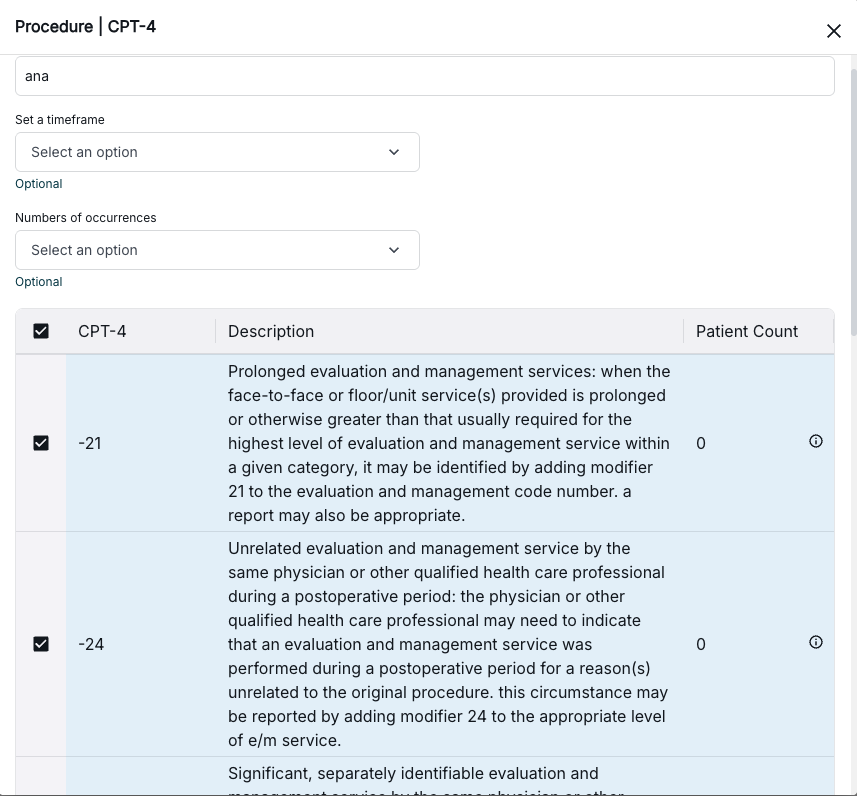
Procedure criteria allow you to exclude patients based on procedure codes. You can use different coding systems depending on your needs.
- ICD-PCS: ICD-10-PCS procedure codes for inpatient procedures
- CPT-4: Current Procedural Terminology (CPT-4) codes with full functionality and advanced search capabilities
- CPT-4 Simple: Simplified CPT-4 code selection interface for quick code entry
- HCPCS: Healthcare Common Procedure Coding System codes for medical services, supplies, and equipment
Drugs/Medications
Drug and medication criteria allow you to exclude patients based on medication codes and classifications. You can filter by specific drug codes or broader therapeutic classes.
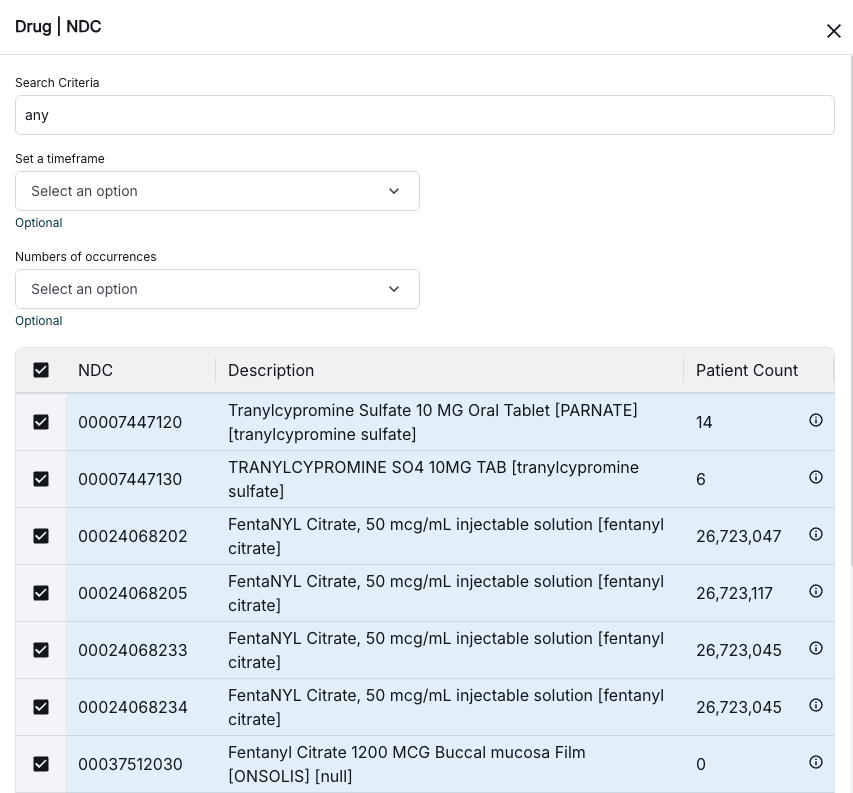
- NDC: National Drug Code for specific medications, allowing precise identification of individual drugs
- ATC Classes: Anatomical Therapeutic Chemical classification system for grouping medications by therapeutic and chemical properties
Laboratory
Laboratory criteria allow you to exclude patients based on laboratory test results. You can filter by test names and units or use standardized LOINC codes.
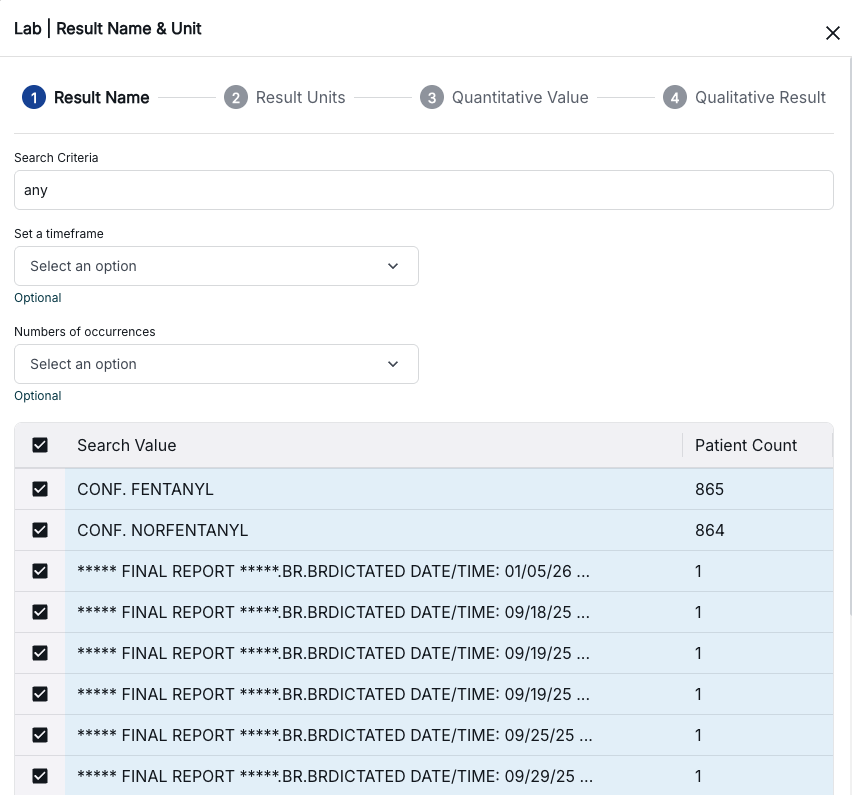
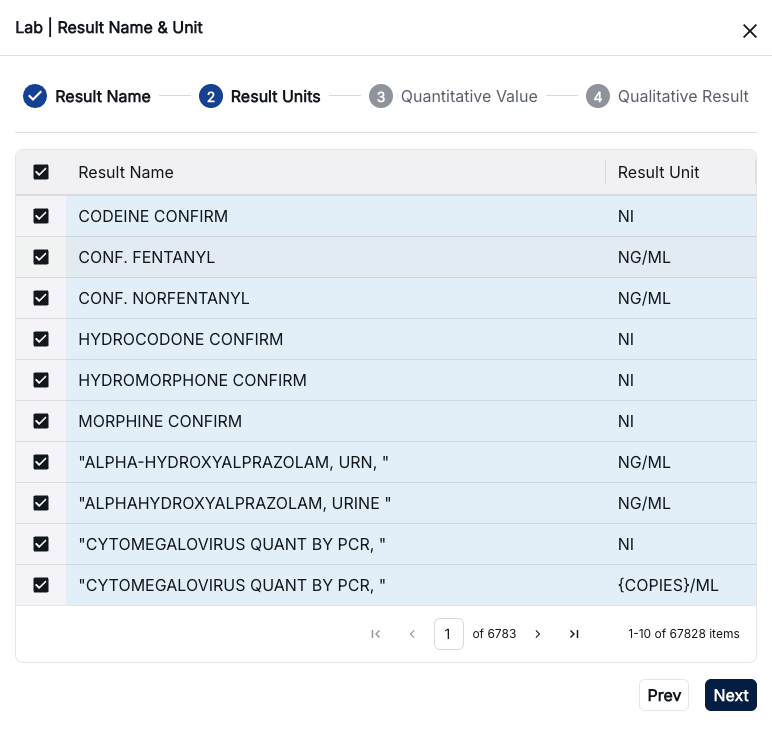
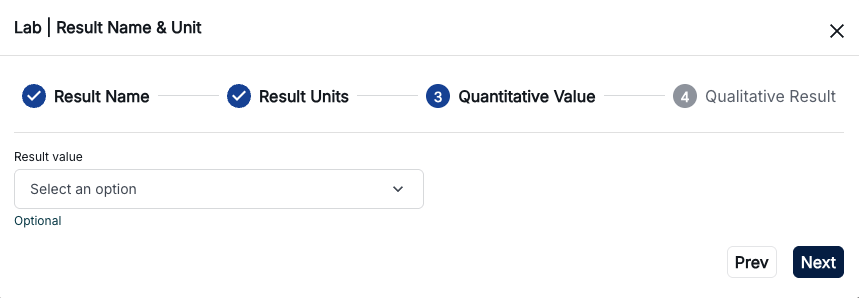
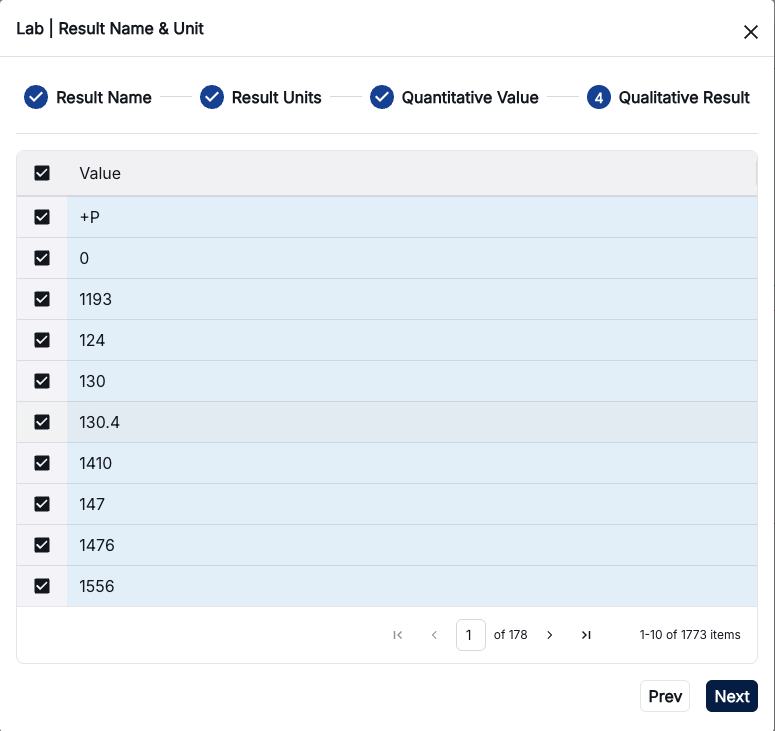
- Result Name & Unit: Laboratory test results filtered by test name and unit of measurement, allowing you to specify exact test parameters
- LOINC: Logical Observation Identifiers Names and Codes for standardized identification of laboratory tests and clinical observations
Clinical Notes
Clinical Notes criteria allow you to exclude patients based on Electronic Medical Record (EMR) notes and clinical documentation. You can search for specific text patterns or use cohort-based note filtering.
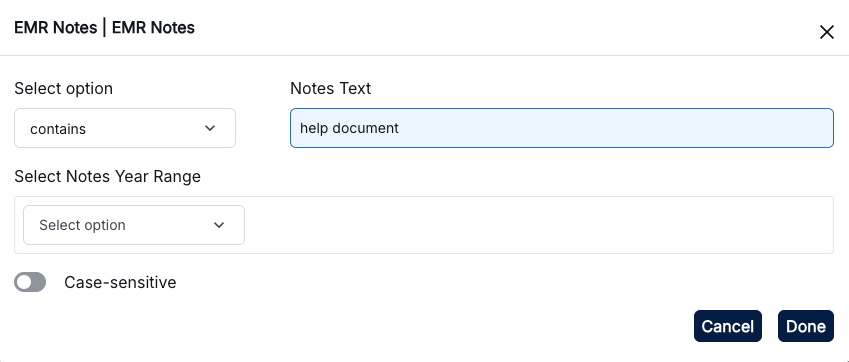
- Notes: Electronic Medical Record notes and clinical documentation, allowing you to search for specific keywords, phrases, or patterns within patient notes
- Notes Cohort: Cohort-based notes configuration and filtering, enabling you to apply note criteria within the context of a specific cohort
Grouping Exclusion Criteria
Similar to inclusion criteria, you can create groups of exclusion criteria:
- AND Groups: All criteria in the group must be met for exclusion
- OR Groups: At least one criterion in the group must be met for exclusion
- Nested Groups: Combine multiple groups for complex exclusion logic
How Exclusion Works
The exclusion process works as follows:
- First, patients are filtered based on inclusion criteria
- Then, patients who meet any exclusion criteria are removed from the cohort
- The final cohort contains only patients who meet inclusion criteria AND do not meet any exclusion criteria
Best Practices
- Use exclusion criteria to remove confounding factors or specific patient groups
- Be specific with exclusion criteria to avoid over-excluding patients
- Test exclusion criteria incrementally to see their impact on patient count
- Document why each exclusion criterion is necessary for reproducibility
- Review the final patient count to ensure it meets your analysis needs